2.16. Message section
The messages, which can be defined in this section, appear inside the outer frame for A4 paper, i.e., in the corners and in the center of each. In default, the name of input file is displayed in the upper left corner and the date is displayed in the upper right corner. The format is below.
MS{ U \(|\) D }{ R \(|\) C \(|\) L }: String
The following string after : is displayed as a message. The type of each message section is below.
String |
explanation |
|---|---|
|
Message in the upper left corner |
|
Message in the upper center |
|
Message in the upper right corner |
|
Message in the lower left corner |
|
Message in the lower center |
|
Message in the lower right corner |
2.16.1. Parameters for message
parameter |
explanation |
|---|---|
|
Draw a message on the outer frame of the paper.(default) |
|
Do not draw the message on the outer frame of the paper. |
2.16.2. Position of the message
The positional relationship between the outer frame and the message is shown below.
List 2.31 • Position of the message
1:  MSUL: {\Huge Upper left corner}
2:  MSUC: {\Huge Upper center}
3:  MSUR: {\Huge Upper right corner}
4:  MSDL: {\Huge Lower left corner}
5:  MSDC: {\Huge Lower center}
6:  MSDR: {\Huge Lower right corner}
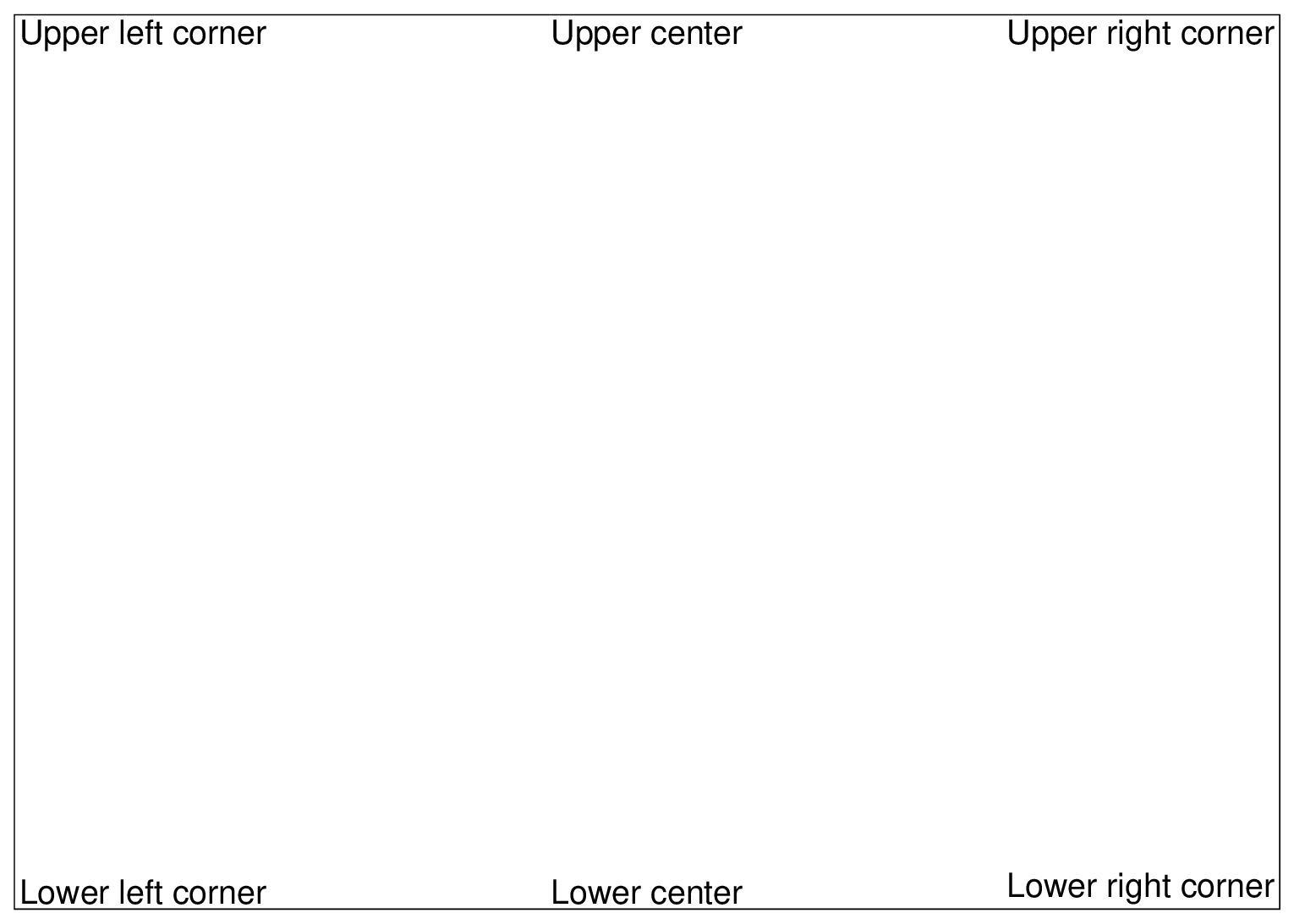
Fig. 2.28 Position of the message