2.19. Character string
A variety of expressions, such as Greek, special characters, mathematical formulas and ruby, can be used as the character strings available for comments and graph titles. The commands enabling to describe them almost follow the commands of TeX and LaTeX. If you are familiar with TeX or LaTeX, it’s very easy. But, if you are new to it, it may feel a little strange. Even if we say so, there are only a few frequently used commands, so you will soon get used to them. First, we will summarize the common principles and the differences from TeX and LaTeX in the following,
As a general rule, special commands start with ”````” and end with a space in principle.
Unlike TeX and LaTeX, sequential blanks are regarded as sequential blanks as they are.
Line breaks in multi-line comments are considered as line breaks, unlike TeX and LaTeX.
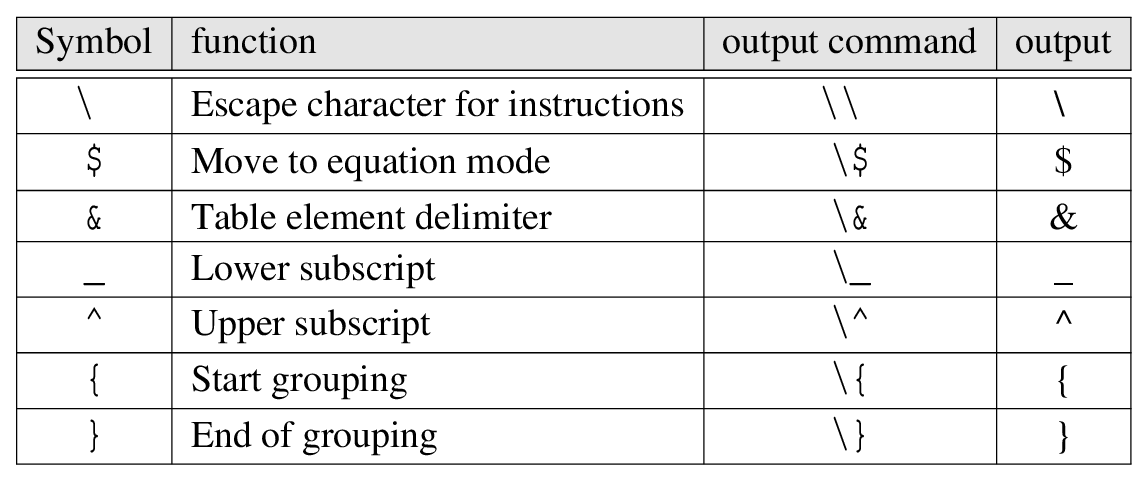
Some symbol characters are special characters that are not output even if they are input as they are.
The meaning of the special character mentioned above and the commands to output it as it is are summarized below.
|
2.19.1. Overall typeface selection
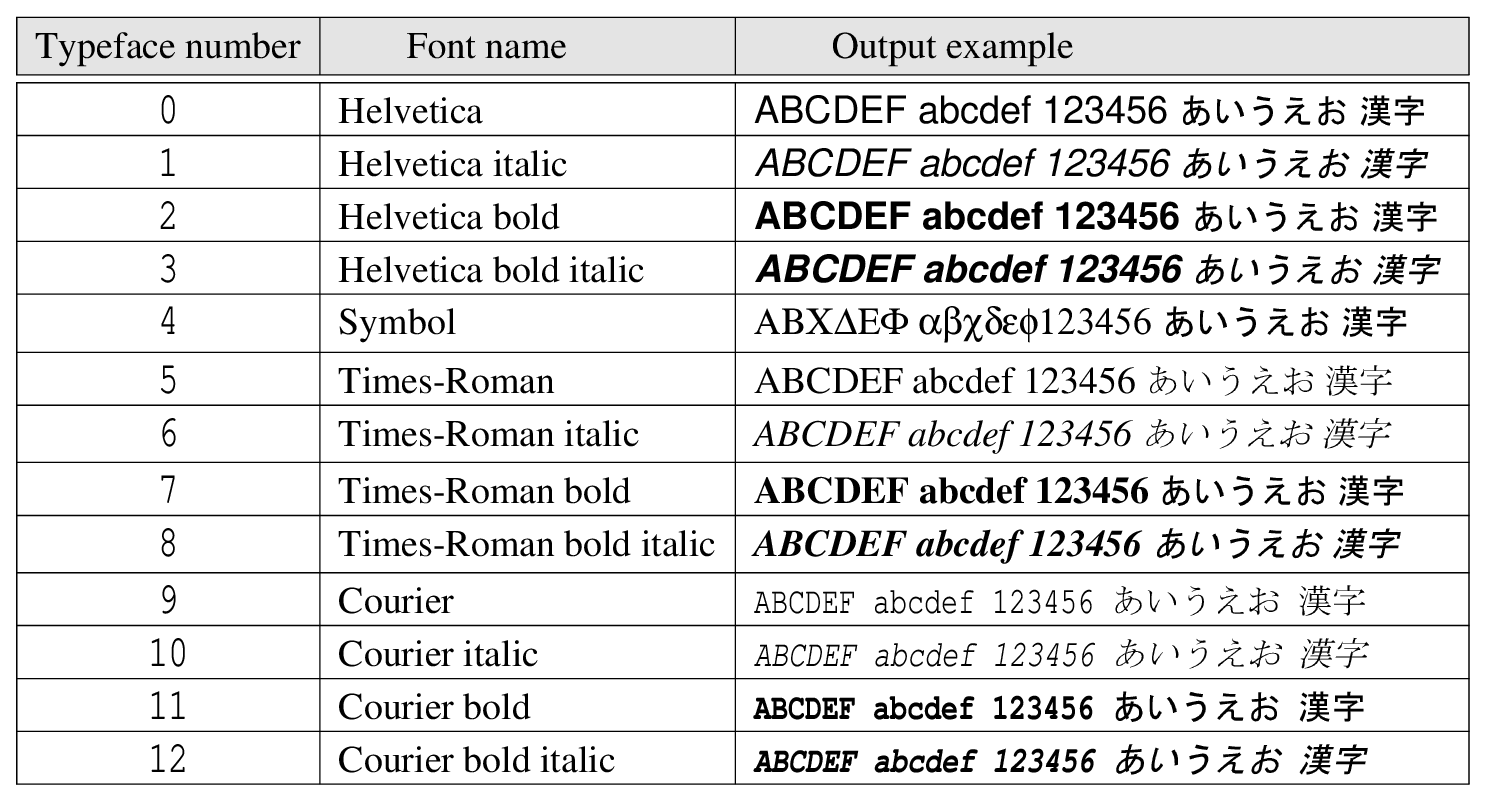
You can use 4 types of basic fonts in European and 2 types in Japanese. The Western texts are Helvetica, Symbol, Times-Roman, Courier, and the Japanese texts are Mincho and Gothic. Italics (italics), bold (bold), and bold italics (bold italics) are available for each typeface except Symbol. When you specify the font using BFON(\(f\)), TFON(\(f\)) or F(\(f\)), specify it as \(f\) with the following number. Also, you can choose the font for the whole font, the numbers on the axis scales, the font for the comments, and so on, accordingly. If not specified, the default is Helvetica number 0.
|
2.19.2. Change the typeface in the string
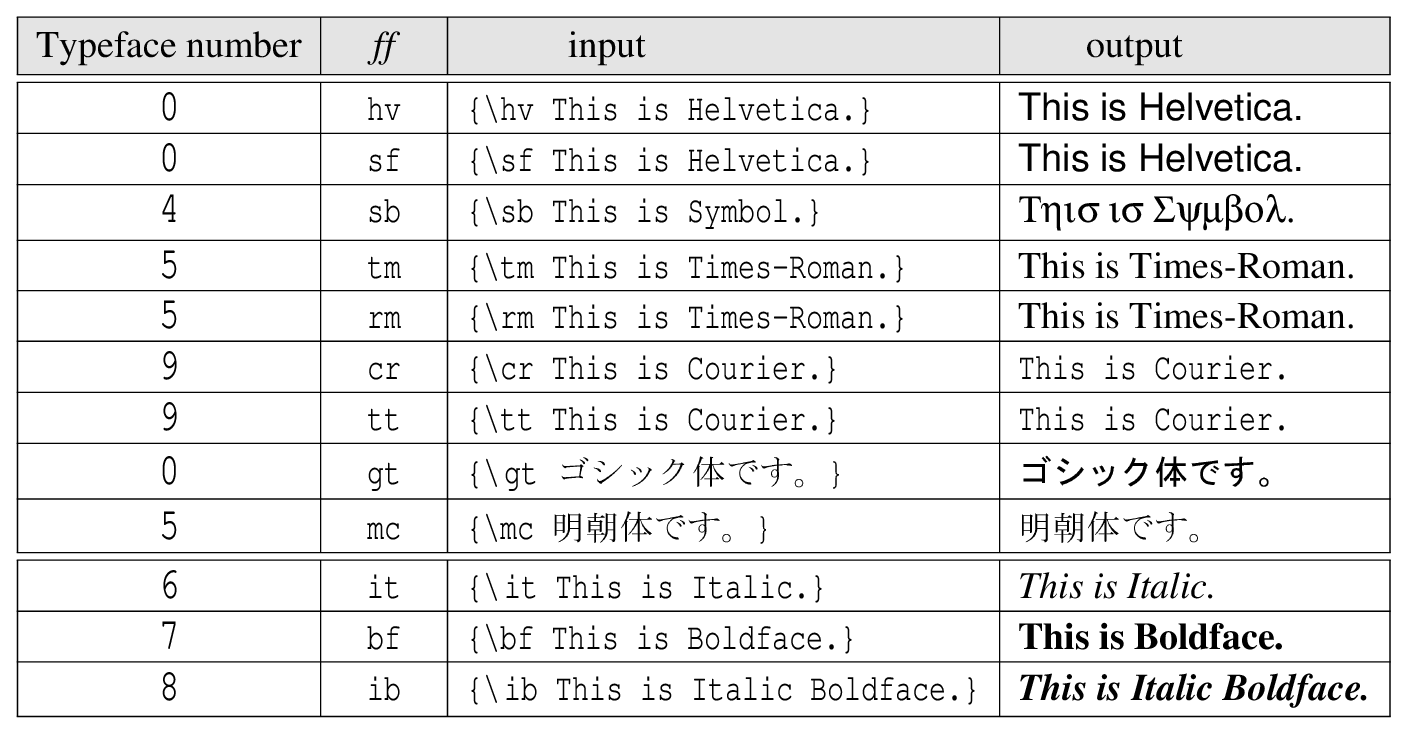
{\ff string }
Here, the character string in { } is changed to the typeface defined by the two English characters ff. The ff is as follows.
|
2.19.3. Character size
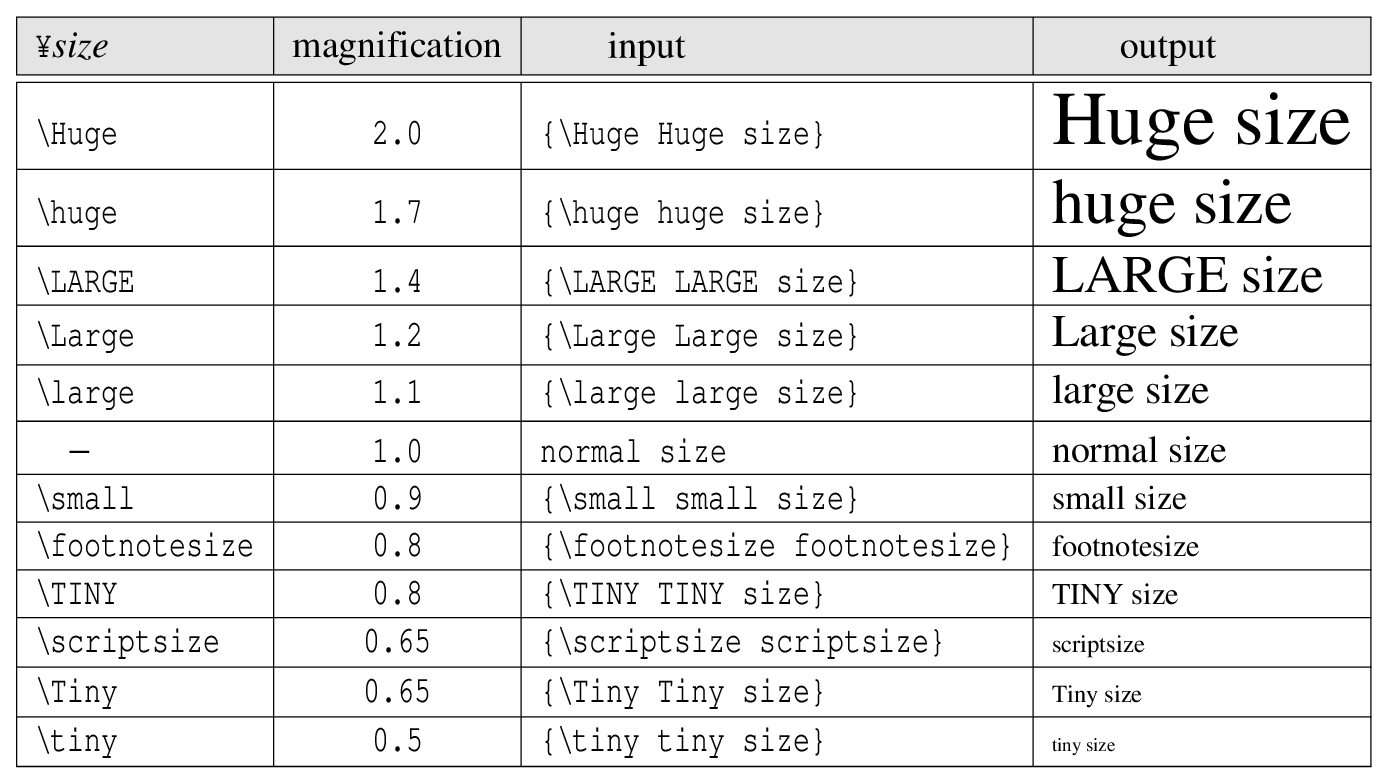
{\\(size\) string }
Here, the string inside { } is changed to the size defined by the alphabetic character \(size\). Unlike TeX and LaTeX, these effects are based on their current size. You can also insert it over and over again. Therefore, there is no \normalsize. The \(size\) is as follows.
|
2.19.4. Text color
{\color{ \(c\) } string }
Now the string inside { } is changed to the color defined by \(c\) [1].
2.19.5. Text box
{\\(boxname\){ \(c\) }{ \(cb\) }{ \(cl\) } string }
Here, the string inside { } is surrounded by a box defined by \(boxname\) [2]. Also you can change the color by \(c\) [3] for the text color, \(cb\) for the background color of box, and \(cl\) for the text color. The color definition can be omitted.
2.19.6. Chinese character (漢字) ruby
\ks{ 漢 }^{ かん }\ks{ 漢 }_{ かん }When using ^, ruby is placed on the top of the Chinese character. Meanwhile, when _, ruby is placed on the bottom. An example is shown below.
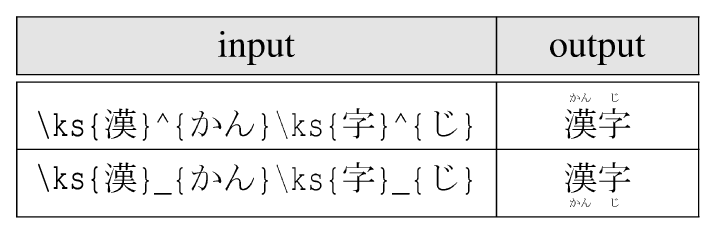
|
2.19.7. Special character
The following commands are provided to output special characters.
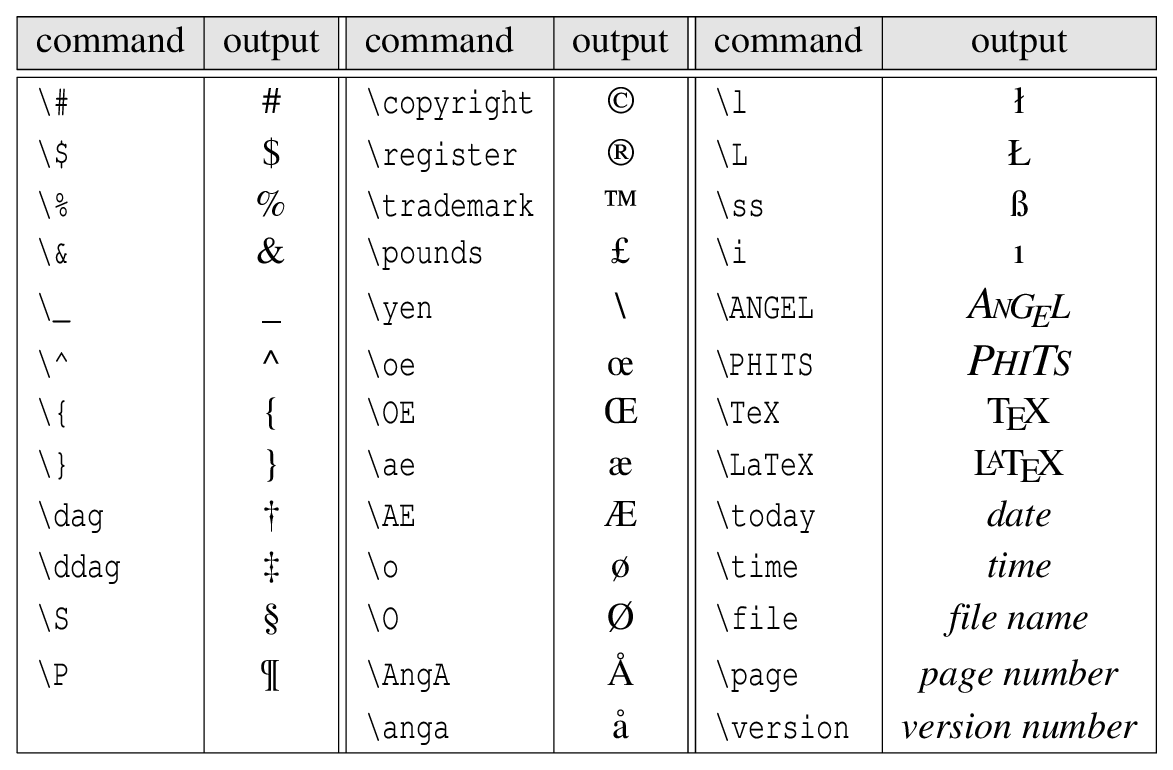
|
Here, \today,\time,\file,\page can output the date, time, input file name, and number of pages, respectively. The date and time are alphanumerical in default, and to make this a Chinese character, put at least one Chinese character in the \(ks\) part of DATE(\(ks\)) in the parameter section.
2.19.8. Accents
The following commands are available for accents.

|