5.27. [ Mat Name Color ] section
Material names, size and colors for graphical output by [t-gshow] and [t-3dshow] tallies are defined in this section. By default, the name is set as material number and the color is set automatically.
The format is as follows.
[ Mat Name Color ]
  mat         name      size    color
  0           void      1       lightgray
  1           air       0.5     yellowgreen
  2           {mat 2}   2       orangeyellow
  3           {mat 3}   2       { 0.067 0.600 1.00 }
  { 4 - 7 }   Fe        3       mossgreen
  ...         ...       ...     ...
  ...         ...       ...     ...
To replace the order of material number (mat), (name), (size), and (color), set as mat color size name. The skip operator non can be used. At least one parameter in name and color must be defined. If no definition, the default values are used. The format { 4 - 7 } can be used, but the format ( { 4 - 7 } 9 10 ) cannot be used. size specifies the relative font size of the material names displayed in the figure (D = 1.0). Please note that the text size in the legend (the material list shown on the right) cannot be changed. However, any material with size set to 0 will not appear in the legend.
To use blanks in name definition, the name must be closed by { } as the example.
To use ( ), the format ( ) should be used.
In the name, { } cannot be used.
Note that a superscript or subscript in the LaTeX format can be used by writing { }.
For example, in the case of writing ^\{208\}Pb , \(^{208}\mathrm{Pb}\) is output.
The maximum number of characters to define a name is 80.
When defining two (or more) cells of different densities from each other with the same material number in [cell] section, the cells except the first one are given other material numbers in matadd=1 (the default setting). The given numbers are written in the first part of file(6) (D=phits.out) as a warning message. Therefore, set the numbers have to be set in the mat column of this section. Even if setting matadd=0 in [parameters] section, the function unifying the material number is invalid in this section.
The color definition is based on the format in ANGEL. Set color by symbol ( r bbb yy), name ( red orange blue), or HSB numeric H(hue) , S(chroma) , B(brightness). In the case HSB numeric definition, close each numeric by { }. If only one HSB numeric is defined, chroma and brightness are set 1.
Color symbols, names, and HSB numerics are shown from next page. Note that names should be written by lowercase characters.
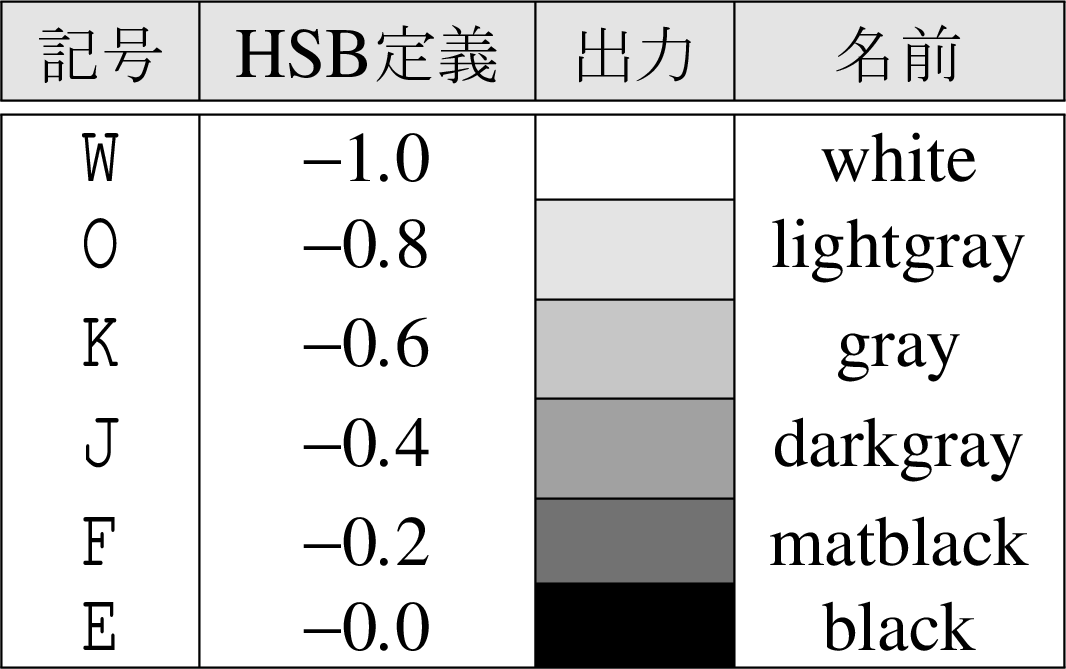
Fig. 5.27.1 Gray scale.
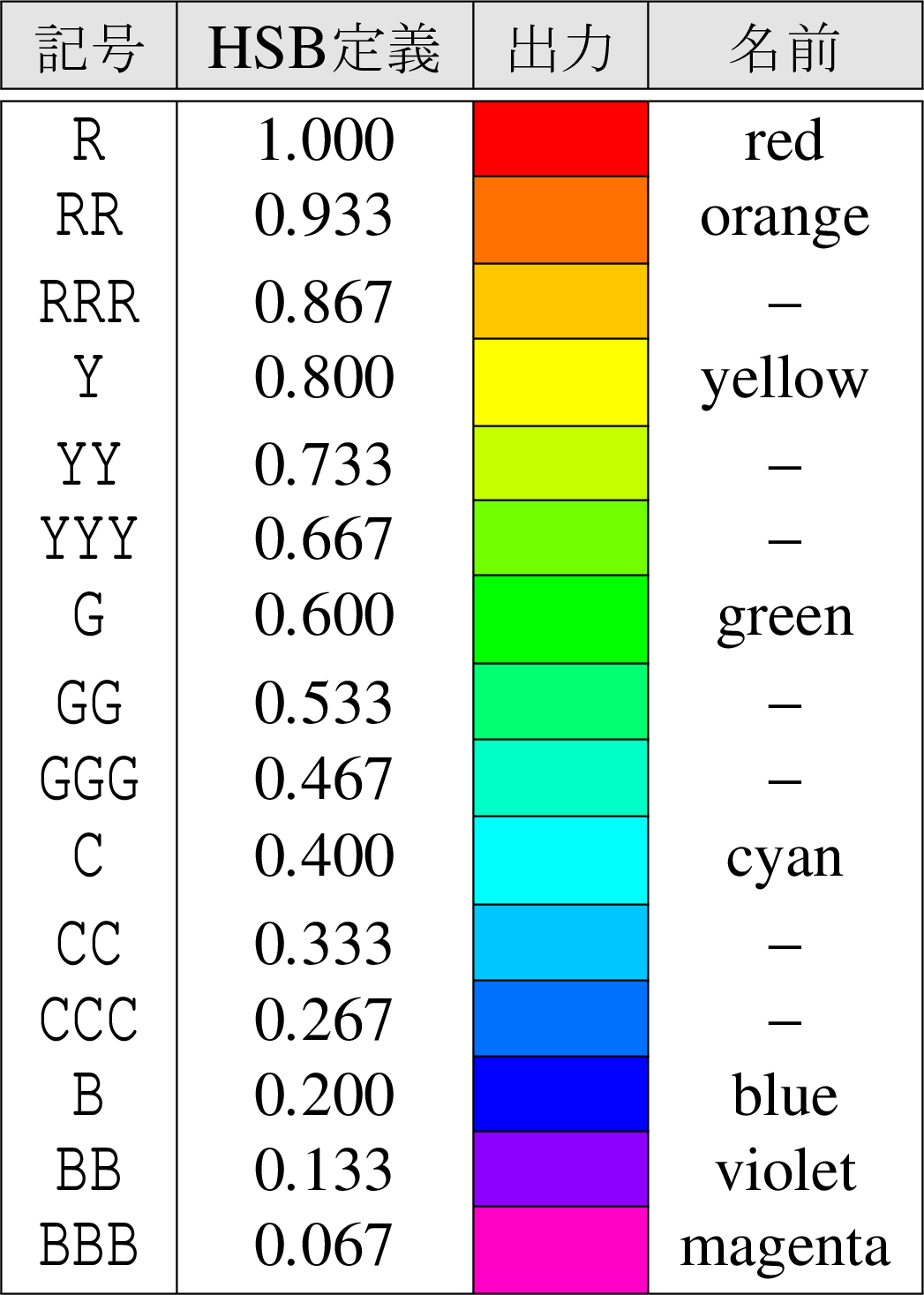
Fig. 5.27.2 Color definition by symbols.
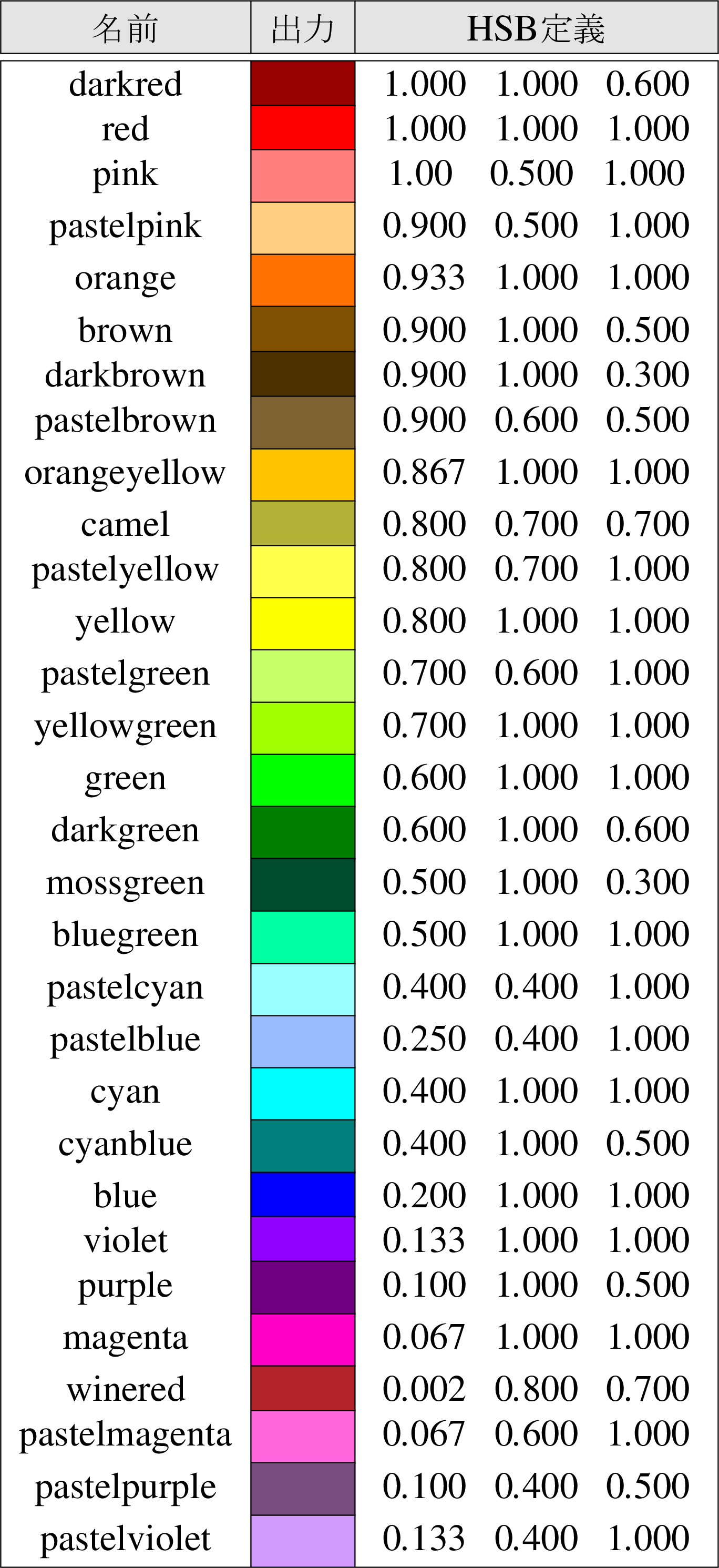
Fig. 5.27.3 Color definition by names and HSB numerics.