3.2. Output of computational program
ANGEL is very useful when outputting a calculation program. That is, if you write the commands of ANGEL in the numerical data in advance when outputting the calculation result, you can process the output numerical data with ANGEL without any modification and the result will be graphed, which you can see immediately. As an example, let’s look at an example of the output of the JQMD (JAERI Quantum Molecular Dynamics) code, which is a simulation code for a nuclear reaction.
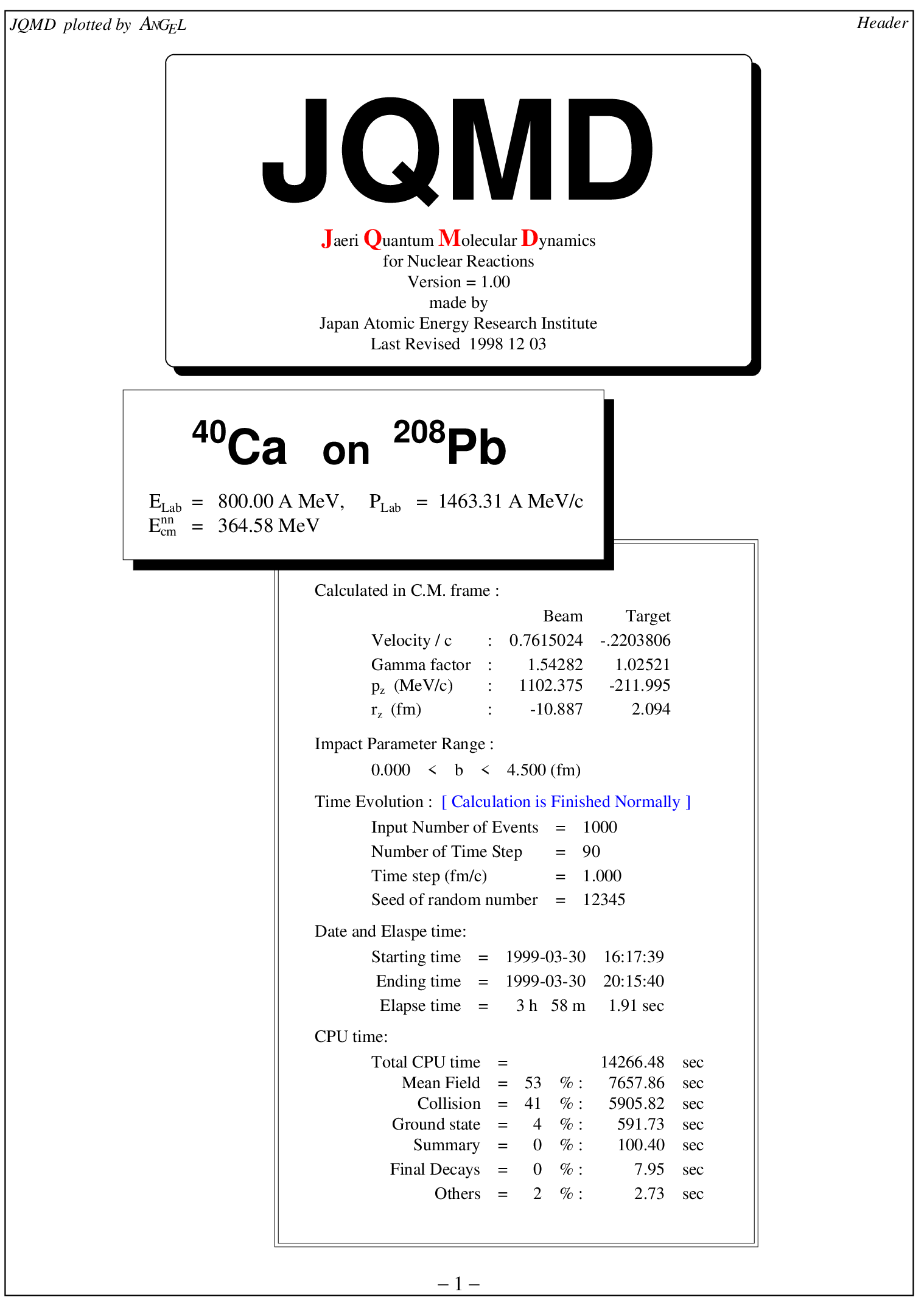
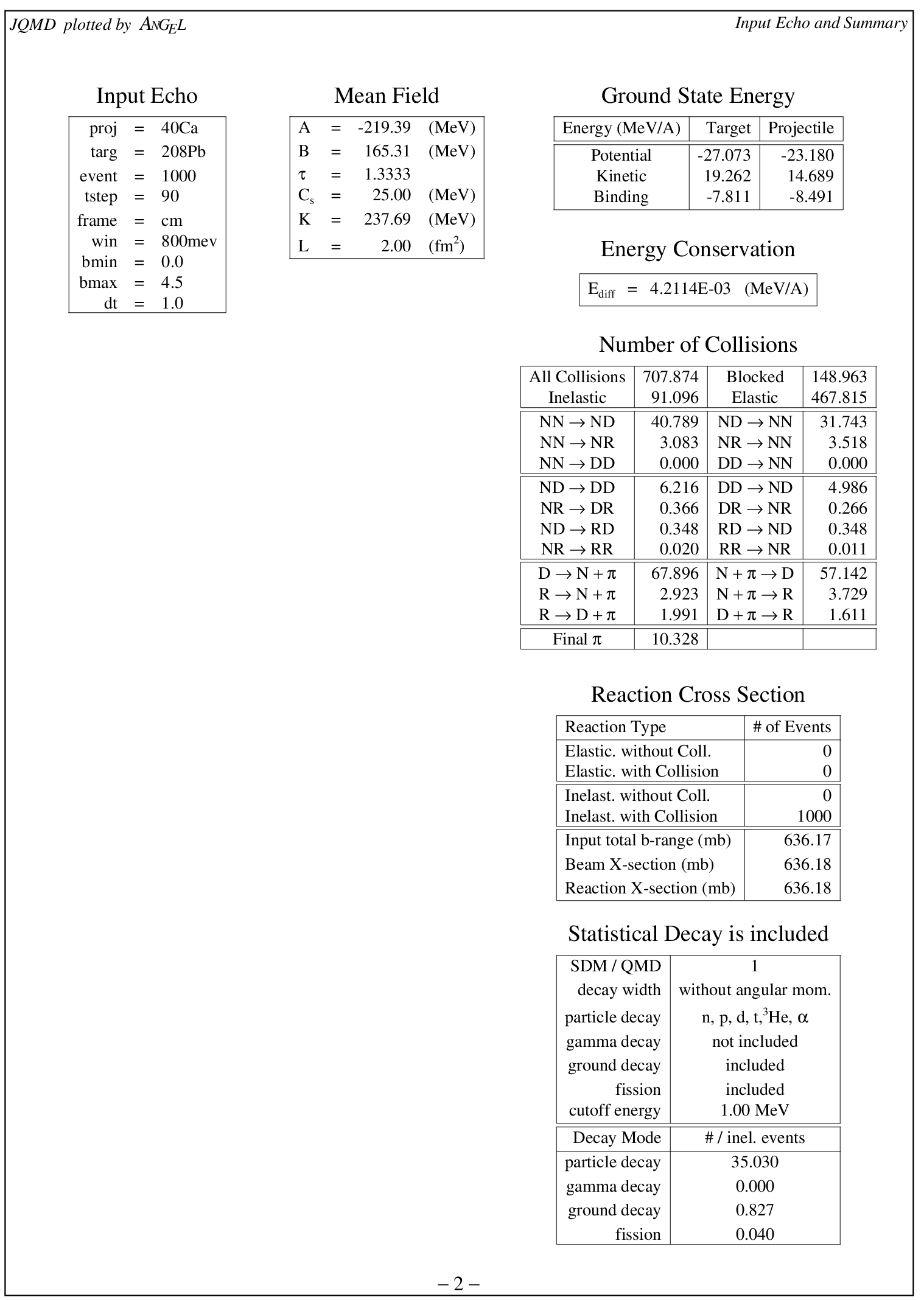
On the first page, the JQMD logo and reaction system, energy, collision coefficient, number of events, time step, initial value of random number, summary of calculation time, etc. are described. On the second page, input parameters, interaction parameters, ground state energy, overall energy conservation, includes a summary of the number of particle collisions, reaction cross section, and statistical decay are shown.
Now let’s see what the input data for the Input Echo part on the second page looks like.
List 3.7 • JQMD data 1
 1:  *-----------------------------------------------------------------------
 2:  *     Input Echo
 3:  *-----------------------------------------------------------------------
 4:  w:Input Echo/x(1.5) y(23.5) ix(2) s(0.8) f(5)
 5:  wtab: x(1.5) y(23.2) ix(2) iy(3) f(5) s(0.6) tab{|rcl|}
 6:  \hline
 7:   proj       & = & 40Ca
 8:   targ       & = & 208Pb
 9:   event      & = & 10
10:   tstep      & = & 90
11:   frame      & = & cm
12:   win        & = & 800mev
13:   bmin       & = & 0.0
14:   bmax       & = & 4.5
15:   dt         & = & 1.0
16:  \hline
17:  e:
It contains the ANGEL instruction, but you can still see it as normal output. Let’s take a look at the next four pages.
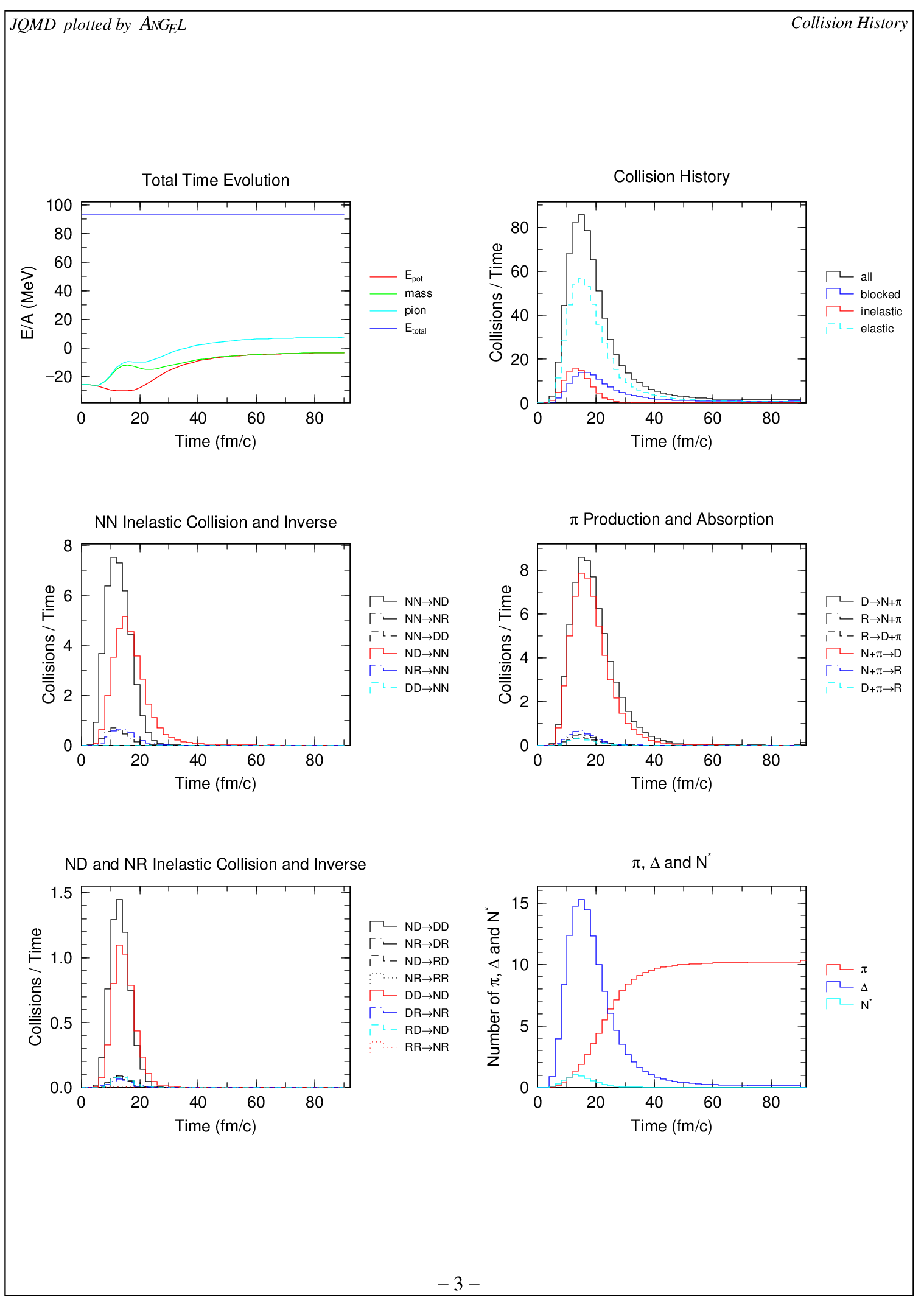
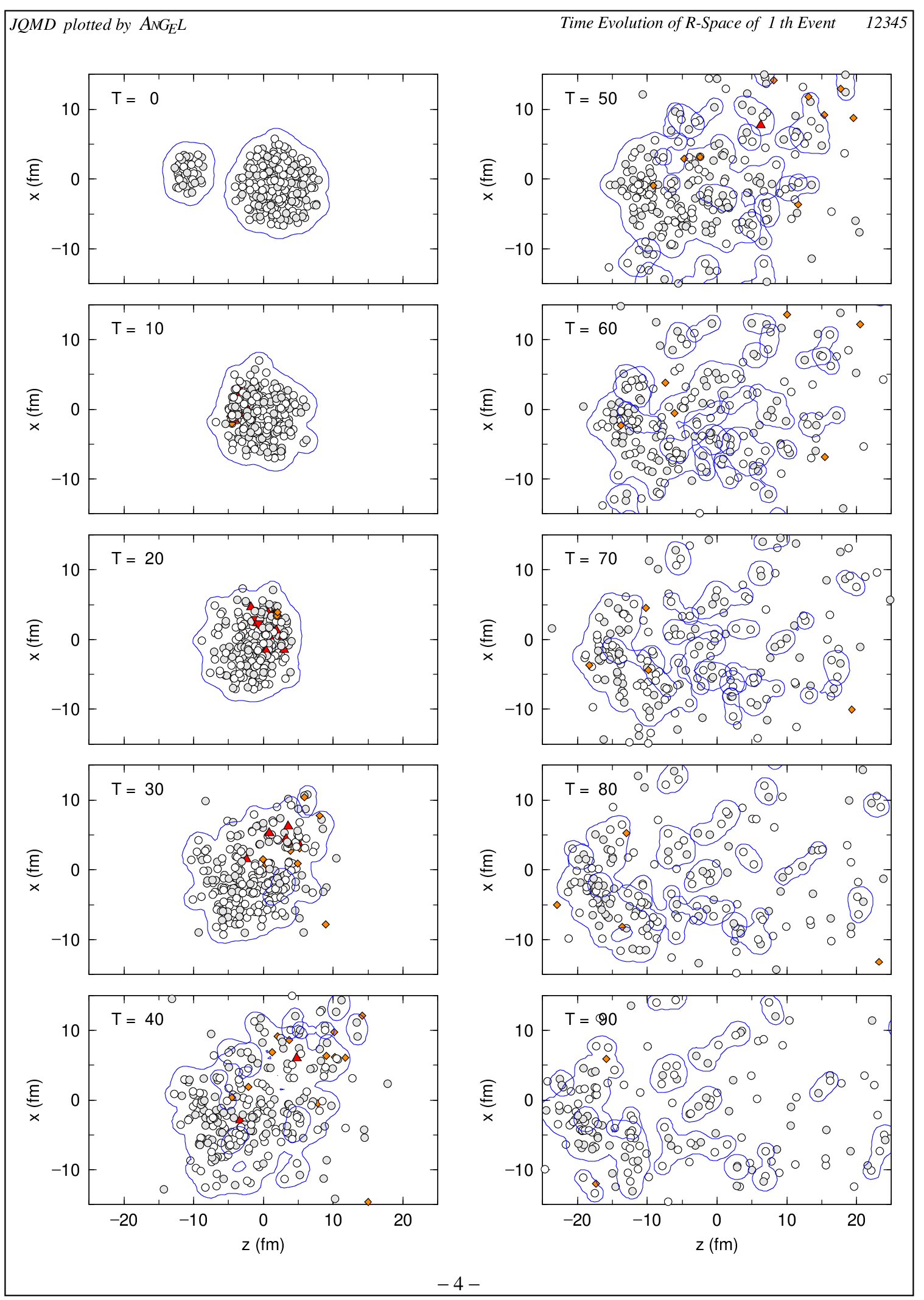
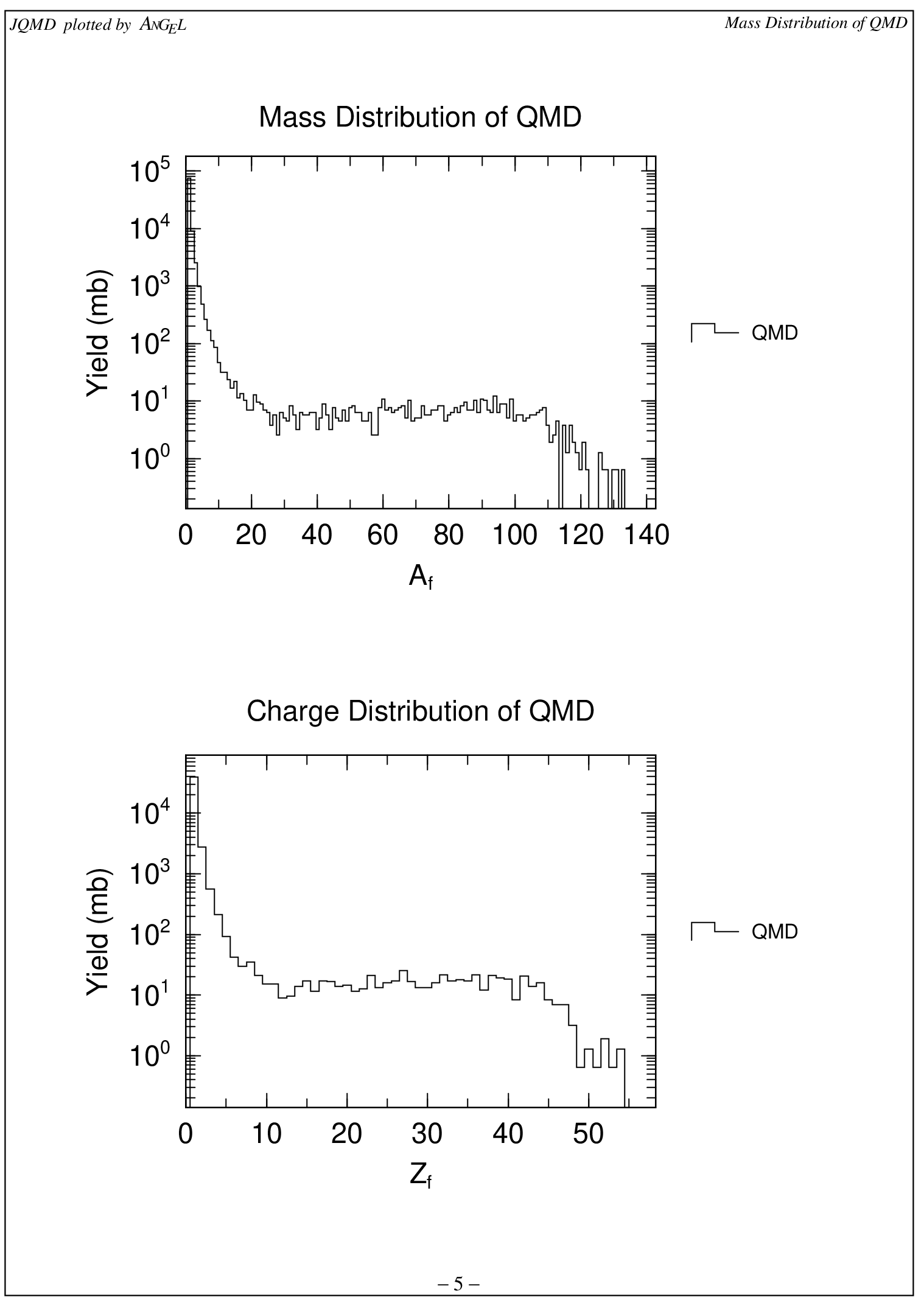
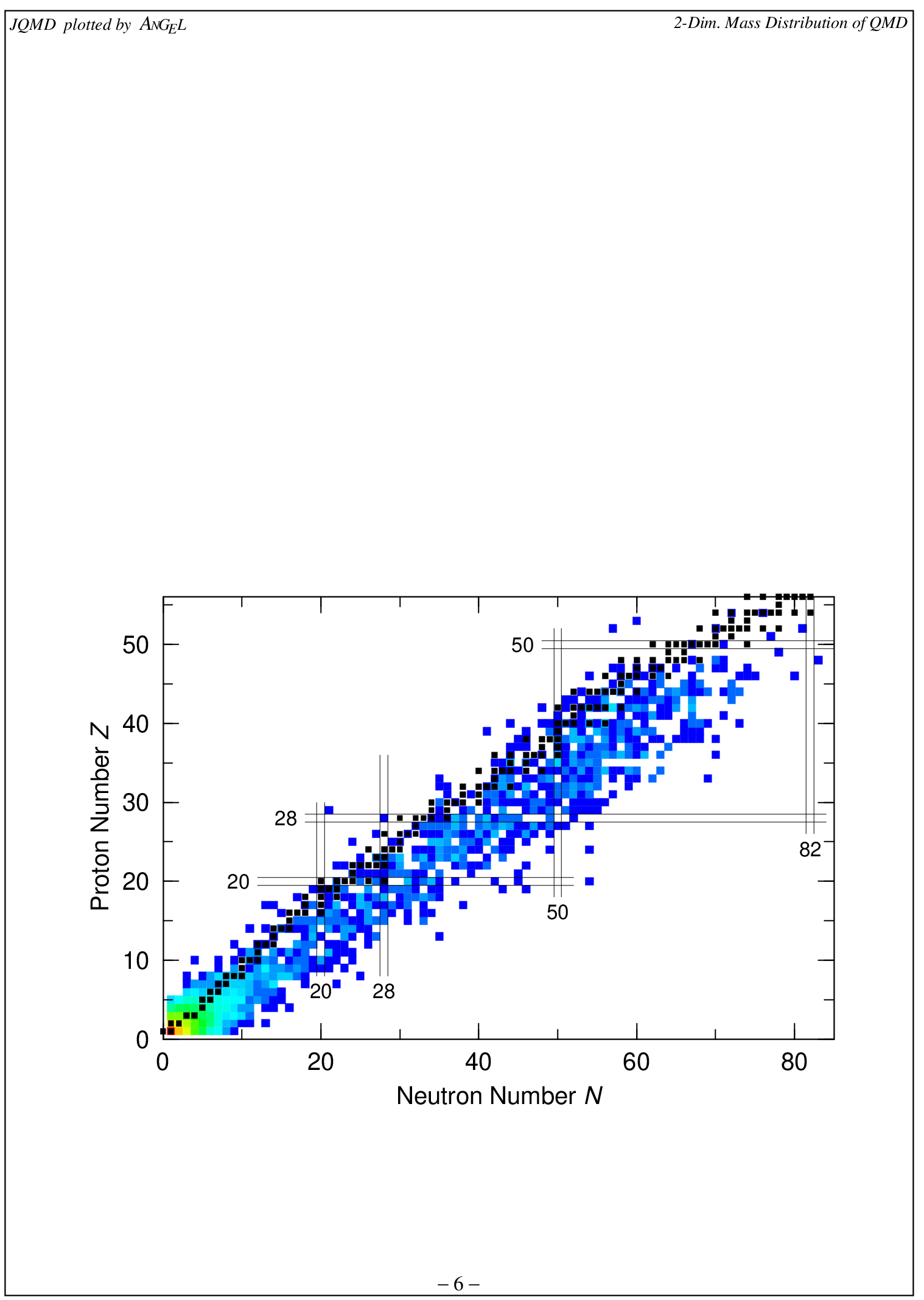
The third page shows a graph of the time evolution of the system and the time evolution of each particle collision. Page 4 is the time evolution in the spatial coordinates of the system. On the 5th page, the mass distribution and charge distribution after QMD calculation are shown. And on page 6, the mass distribution and charge distribution after QMD calculation are shown in a cluster plot.
For numerical calculations such as simulations, it is very important to see the results immediately and visually.
ANGEL is great for this purpose !!